
Spec-Driven Development: React Native Starter App with Expo + Codex
Shipping AI-built software takes more than good prompts. In this post, Miguel Garcia explores a portfolio-ready Expo Router + TypeScript template and the planning system that keeps AI agents reliable across context limits and session resets.


A lot of developers are staring to realize the same thing: if you want to actually ship software consistently with AI, and not just generate code, you need to move away from the unpredictability of vibe coding and into a workflow that creates alignment, reduces drift, and produces repeatable results. This workflow is what many builders now call “spec-driven development”.
In this post I want to explore why spec-driven development is the real unlock for AI first development, using a real project I built from scratch. At it's core, this approach really means planning first, so the AI doesn’t go off script.
While building my own React Native starter template with Expo + Codex, one thing became very clear: the template is the output, and the real win is the structure you build around the agent, so it can operate even with context limits and session resets.
The biggest issues I’ve seen with most AI tools are they expect you to show up with a single perfect prompt and generate a perfect spec, as if the agent inherently knows what you want. That’s not how real life projects work, however, and the result leads to technical debt, more debugging, and more time reviewing code.
Spec-driven development can address most of these problems, and most importantly, helps you make AI agents reliable builders, not a nonsense “reactive agent” 🐍.
The Problem with Vibe Coding
AI can generate working code very fast, but a lot of the time, it’s not the code you actually meant to write.
That’s the core issue with vibe coding: it feels productive at the moment, but it’s unpredictable, and it breaks down as soon as you need consistency, architecture, and long term maintainability.
Even when you “know what you want,” there are always multiple ways to build the same thing, so the real question is, “Which way is best for your product and your users?”
This is where experienced developers still bring value.
What developers used to do (and now AI is very good at):
- Translating ideas into code
- Memorizing APIs and syntax
- Manually wiring systems together
- Implementing patterns by hand
AI is now very good at that part.
What AI is bad at (and likely will stay bad at):
- Deciding what should be built
- Choosing between tradeoffs
- Understanding product context
- Taste and judgment
- Knowing when not to build something
- Long term coherence across a product
- Responsibility for outcomes
These are not implementation issues, they are design and decision difficulties.
That work happens before the spec, before the tasks, before the code.
The Real Shift: from Coding to Building
This is important because we’re not just changing how we code. Over time, this will not be a developer's primary task.
Spec-driven development is a more methodical approach that takes your product from idea to customer consistently and predictably. Over the last few months, the ecosystem has been converging on the same realization: specs are essential.
As a result, more tools are starting to add planning workflows, including:
- Spec system
- Task breakdowns
- “Planning modes”
- Multi step agent execution
However, most mainstream tooling is still missing a few critical pieces that make specs truly usable for real projects. Building this kit, I noticed the same gaps.
The Two Deliverables This Approach Produced
Using this approach gave me two clear deliverables:
1) A reusable React Native template (the output)
I built React-Native-Ignite-Kit, an Expo Router + TypeScript template that anyone in the community can clone and reuse for future apps.
2) A planning system that makes AI agents reliable (the real product)
This is the bigger lesson, even the best AI agent will fail if:
- The prompt is vague.
- The project direction is unclear.
- The agent loses context.
To solve this, I built a planning foundation that is time proof, session proof, and context limit proof. That foundation lives in one place, just one folder:
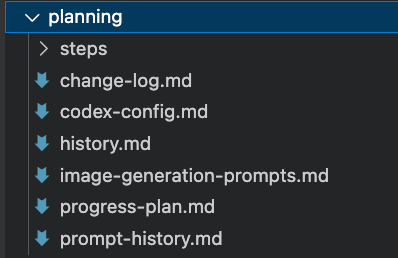
When you’re building AI first, you need something that outlives the chat. The planning folder acts as the project brain the agent can always reference, even if you restart Codex, switch machines, or come back months later. It is what makes the process time proof, session proof, and context limit proof.
This /planning folder contains these files:
change-log.mdTo keep track of the changes so the agents do not repeat the same mistakes.codex-config.mdThe local rulebook: architecture decisions, coding style, navigation patterns, and constraints. This prevents “helpful” changes that don’t match the code style.progress-plan.mdKeeps prompts small and sequential, so the agent does not choke, drift, or rewrite your app in one giant guess.history.mdThe audit trail of what was asked and when. Really close tochange-log.md, but treathistory.mdas a short, occasional summary ofchange-log.md.planning/steps/The step by step roadmap, this is the foundation part, since this files contain the prompts that will direct the agent path.
Note: I recommend using an agent to create this part, always including in the prompt ...ask as many questions as you need to get more context, one question at a time and always waiting for an answer to continue...
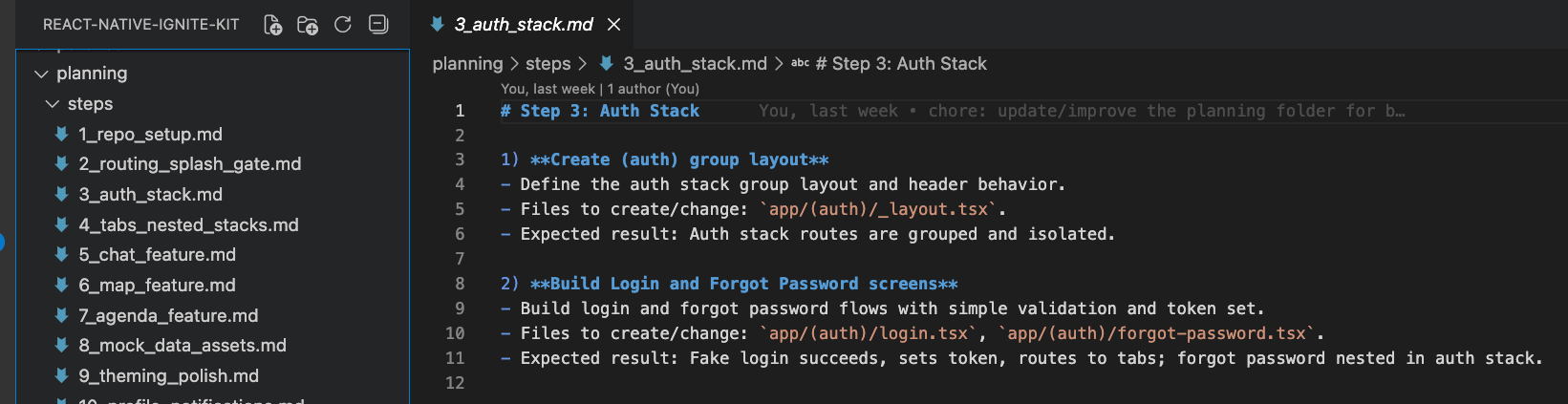
One of the biggest issues I’ve seen with most AI tools is that you will show up with a single prompt and generate a perfect spec, as if the agent inherently knows what you want. That’s not real life, and this leads to technical debt or more time debugging and reviewing code.
Before writing the spec, there's a crucial phase that cannot be skipped, specifically:
- Making solid and consistent design choices
- Predicting edge cases
- Deciding on tradeoffs
- Aligning with the overall direction of the product
In spec-driven workflows, this is where clarifying questions matter most. Instead of rushing straight into “generate tasks and write code” for this project, I built my process around these ideas:
- Expo Router
- TypeScript
- System light/dark theme
- Auth gate (Splash) routing to auth or tabs
- Four feature tabs (Chat, Map, Agenda, Profile)
- Mock data + local assets mapping
- Local notifications
- Tests + lint + CI
This groundwork is what allowed the agent to build reliably, without drifting, guessing, or fighting the architecture.
The Result
Here's what I built:

What Ignite Kit Includes (App States + Tabs)
Ignite Kit is structured around three app states:
- Splash gate: App boots into a splash route that checks auth state and routes accordingly
- Auth stack: Login and Forgot Password (nested inside the auth stack)
- Authed user experience: Bottom tabs with nested stacks for detail screens, including:
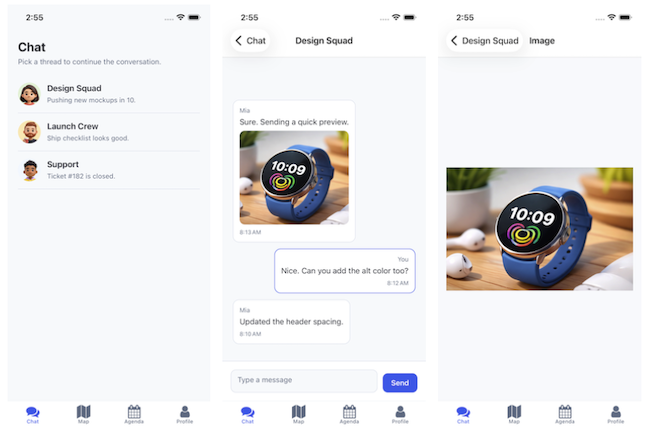
- Chat list → messages → image viewer.
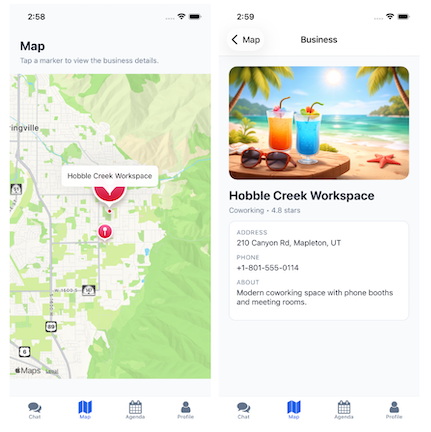
- Map markers → business detail.
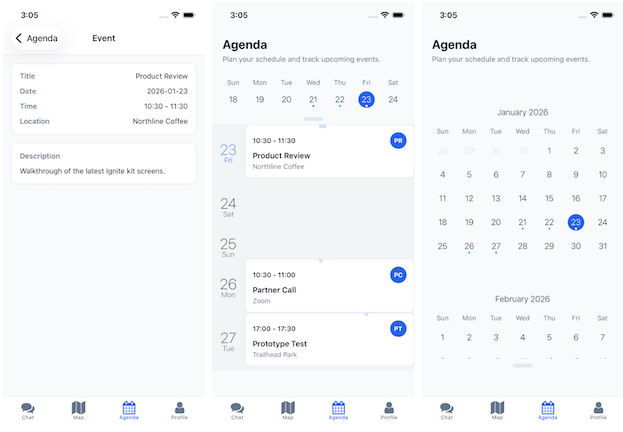
- Agenda calendar → event detail.
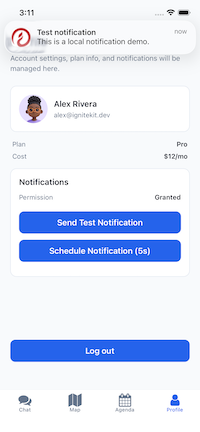
- Profile user info, plan/cost, logout, notifications demo.
More Screenshots (from this Repo)
Here are a few images for each piece of functionality:
Chat 💬
Map 🗺️
Agenda 📆
Profile 👤
Prompting Strategy that Kept the Agent on Rails
After some trial and error, one approach worked consistently: treat prompting as a structured conversation, not a one time instruction.
Instead of asking the agent to do everything at once, I designed prompts to be small, sequential, and grounded in the planning artifacts.
This is what worked consistently:
- Having a branching strategy to avoid big mistakes
feat/chat-messages-etc, keep versioning the code. - Keep prompts sequential (one feature per prompt)
Codex, do the step #1 in steps/file 3, you don't need anything else since the context is on the file. - Always anchor the agent to the plan,
Implement Phase X from progress plan - Use stable constraints (folder structure, routes, naming)
- Log everything in
history.mdso future sessions have context - Be ready to fix the wording or add details on the fly to be more specific
Remove "X" from the /planning folderorAdd "Y" to /planning/codex-config.md
Ready to Get Started?
If you want to give this a go on your own, here's where I would start:
- You just require a repo and
npm install -g @openai/codex, log in, and that's it! - Confirm it's working
codex --version - One example of a prompt is:
Read the /planning folder and tell me what the next step is
Pro Tips:
- Don't give Codex full control of your workspace when you first start using it. Increase control only after you understand it better.

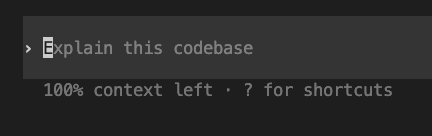
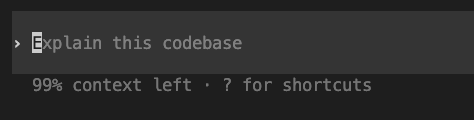
- On the bottom, you can see how much context is left (100%-99%), this is basically the memory allocated for this session, this will be solved by the planning folder.
The Bottom Line
AI doesn’t replace developers, it just removes the excuse to skip thinking.
If you want agents to build for you consistently, you can't just prompt. You must build the foundation that tells them where to go next.
Thanks for reading!